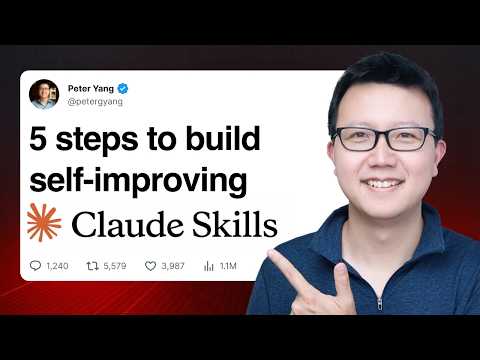
This tutorial walks through a five-step process for building AI skills—specifically your own custom AI skills using Claude. From creating a skill to building eval loops, adding memory, and improving the skill itself, it offers practical tips and know-how for efficiently building and evolving AI skills. Through this process, you can learn how AI can learn and improve on its own, reflecting your personal knowledge and taste to maximize work efficiency.
1. What Is an AI Skill, and the Five Steps to Build One 🚀
The video opens with an introduction to AI skills and an overview of today's core topic: the five steps for building a skill. An AI skill is basically a folder containing instructions, which the AI can execute for a specific task. Peter Yang emphasizes that AI skills are extremely useful for saving time by encoding your personal knowledge and taste into reusable skills. He explains the following five-step process while building a sample skill called "edit-post."
- Create the skill using your best examples and personal context: This is the process of teaching the AI your personal knowledge and preferences.
- Clearly define when the skill is triggered: Through the skill description, you tell the AI exactly when it should use this skill.
- Build manual testing and a self-evaluation (eval) loop: This step helps the AI check and improve its own work.
- Add memory (memory.md) to improve the skill: This lets the AI remember past conversations and produce better results over time.
- Build a skill editor to improve all your skills: This helps the AI improve its own skills and remove "AI slop."
Peter demonstrates this process in real time using Claude Codex, giving viewers detailed instructions for each step.
2. Building a Skill with Personal Context and Examples 📝
The first step is to provide the AI with your personal context and best examples in order to build an AI skill. Peter illustrates this using the various kinds of writing in his newsletter (tutorials, opinion pieces, product-related posts, etc.). He had prepared a text file in advance containing three types of writing.
"I want to create an 'edit post' skill. Based on these examples, this skill will help edit newsletter drafts or other forms of long-form posts. Review the examples and ask me if you have any questions. Let's build a one-page skill."
The important point in this process is to give the AI as many examples and as much personal context as possible. The AI analyzes the provided examples to grasp Peter's preferred style (e.g., the "dear subscribers" opener, concise paragraphs, one-line sentences, etc.) and asks a few questions. For example, it asks what it should do when the skill is invoked and how it should handle the three post types. Peter answers "edit the draft" and "auto-detect, then confirm," prompting the AI to generate an initial version of the skill.
The resulting skill.md file includes a workflow for detecting the post type, listing what's missing, and rewriting, along with example links for each post type, skeletons, voice rules, and so on. Peter shares a few important tips here.
- Separate the skill file (
skill.md) from your personal context and examples.- Benefit 1: The AI doesn't need to read all the examples every time—it loads only the relevant context through the draft post.
- Benefit 2: You don't have to include personal information when sharing the skill.
- Give the AI at least two or more varied examples. If you provide only a single example, the AI may overfit to that one example and fail to produce the result you want.
3. Clearly Defining the Skill's Trigger Conditions 🎯
The second step is to clearly specify when the AI should trigger the skill. When asked a question in Claude Codex or another app, an AI skill reads only the skill's name and description—not the full skill content—to decide whether to run it. Therefore, it's important to write the skill's usage conditions very clearly in the description.
"When to use: when Peter pastes a draft post or newsletter, or asks to edit, title, or improve a long-form piece."
Peter judges the current description clear enough and leaves it unchanged, but he stresses that if you don't review this part carefully, the skill may not trigger reliably. You can run the skill manually too, but the goal of this process is to get the AI to detect and run the skill automatically.
4. Building a Self-Evaluation (Eval) Loop to Improve the Skill 🔄
The third step is to manually test the skill and build an evaluation (eval) loop so the AI can check and improve its own work. Peter says this is an important part that other tutorials don't cover well.
First, you test the skill using a real post. Peter pastes a draft of a tutorial post he wrote and shows the AI correctly detecting it as a "tutorial-style post." The AI reviews the draft, lists things to improve—such as a missing sponsor block and no numbered preview at the top—and then presents the revised draft.
Here Peter adds the instruction "bold the changes when editing" so the AI shows its changes more clearly.
Now he explains self-evaluation (evals). An eval is asking the AI to check its own work. There are two types of evals.
- Score-based evals: A scoring approach like "How useful and practical is this post? Give it a score out of 5 and explain why." Peter says this approach isn't great because the AI struggles to accurately distinguish the subtle differences between a 3, 4, and 5.
- Pass/fail check-based evals: An approach that asks the AI to run a series of pass/fail checks. Peter emphasizes this approach is far more effective, asking it to generate up to ten pass/fail checks and record them in an
eval.mdfile.
Peter suggests dividing the check items into the following categories.
- Introduction: Should grab the reader's attention and be concise, and for tutorials, should include a YouTube link.
- Voice: Should be an authentic voice without AI slop. (e.g., dashes, unnecessary words like 'leverage' and 'delve', AI patterns like "this isn't X, it's Y," listing short sentences, etc.)
- Content: Should provide practical insight, and have a helpful and authentic tone.
- Call to Action: There should be a clear call to action for the reader to take.
Based on these guidelines, the AI generates an eval.md file. (e.g., "Is there an opening hook?", "Are the first two or three sentences concise?", "Is there a YouTube link?", "Are there no dashes?", "Are there no unnecessary words?", "Are there no AI slop phrases?")
After that, Peter gives a very important additional instruction.
"In skill.md, include that when running this evaluation, it should run using a separate agent. This way you can keep a clean context window. And if any evaluation fails, have the original agent keep editing the post until it passes all evaluations."
Through this instruction, the AI forms an iterative loop in which one agent edits the post, a separate agent runs the evaluation, and if the evaluation fails, the first agent edits again. By having a separate agent run the evaluation, you maintain a clean context window that isn't biased by previous results. Through this loop, the AI repeats and improves its own work until it passes all evaluations.
Peter calls this process "magic," explaining that the AI can complete the task without human intervention. He shows a scenario where the AI passes all evaluations after five loops, confirming that AI slop, dashes, and the like have been removed. Of course, human oversight is still needed to ensure the accuracy of the evaluations themselves, but this kind of loop provides tremendous efficiency.
5. Adding Memory (Memory.md) to Drive the Skill's Self-Improvement 🧠
The fourth step is to build a memory.md file so the skill improves on its own over time. Where the previous step's "eval loop" focused on improving the skill's output, memory.md is used to improve the skill itself based on past conversations with the AI.
Peter asks the AI to summarize the lessons learned from the conversation so far into memory.md. At first the AI includes too much, but Peter gives the following feedback.
"Make sure what you include in memory.md doesn't overlap with the evals. memory.md is for improving the skill itself. And summarize each date's content concisely in two or three sentences. You can add more, but generally keep it concise."
This is to prevent the memory file from becoming too long and confusing the AI. The revised memory.md more concisely captures key lessons like "separating the scoring agent from the editing agent was important."
Peter explains that the memory feature isn't mandatory, but it's very useful when you want to give vague feedback (e.g., "make the voice more authentic") for which you can't create clear pass/fail evals. Memory helps the AI learn more complex and subjective improvements over the long term.
6. Improving All Your Skills with a Skill Editor 🛠️
The fifth and final step is to build your own skill to improve other skills. Peter says that when the AI writes skills, "AI slop" often creeps in, so you need a tool to prevent this and make skills more concise and clear.
There are two methods.
- Ask the AI to build a skill based on the conversation: Have the AI build a skill on its own based on the conversation so far. In this case, the AI uses the five-step method for building skills to present a "skill builder" skill.
- Copy and use Peter's 'skill editor' skill: Peter's own 'skill editor' skill includes additional guidance such as preventing AI slop, keeping things concise, and following progressive disclosure rules.
Peter shows the process of applying his 'skill editor' skill to the edit-post skill. When he runs the 'skill editor', it fixes the dashes (m-dashes), phrases like "not X but Y," and other formatting issues found in the edit-post skill, making it more concise and clear overall.
Peter recommends running the skill editor periodically to audit all your skills, or applying it whenever you create a new skill. He prefers concise skills that humans can read and understand, and he believes every skill can only be made truly good once it's been reviewed by human eyes.
Conclusion: The Human Role and Using AI Skills 🌟
Peter emphasizes that while following these five steps is important, the output the AI generates is only about 80% to 90% complete. The difference between "AI slop" and a truly good result comes down to a human reviewing the final 10%–20%, refining it by hand, and applying their own taste and judgment.
"I tried to encode as much of my judgment and taste into the skill as possible, but there are still things it misses. The way I write a newsletter post is similar to how people cook a dish. I spend a lot of time writing drafts and voicing ideas. Then I have the AI do the initial editing using best practices like this post-editing skill. And for the final 10%–20%, before I share it with you, I spend a lot of time reading it myself, making sure it makes sense, and applying my common sense."
He encourages viewers to look back over the past week, find where they spent a lot of time, and build an AI skill to streamline that work. In particular, it's important to include the evals and memory features so the skill improves on its own through your input and gets better over time.
This video provides a practical, in-depth guide on how to effectively build and use AI skills to maximize personal productivity. 👍