This document summarizes Apple's developer guide for designing right-to-left (RTL) interfaces for users of RTL languages like Arabic and Hebrew. While system UI frameworks automatically support RTL in most cases, fine-tuning is needed for text alignment, numerals and symbols, controls, images, and icons. Each section provides concrete examples and images to clearly explain correct implementation and common pitfalls.
1. Basic Principles of RTL Language Support
Users of RTL languages expect the interface to naturally adapt to their language's reading direction when they choose a device or app language. Apple's system UI frameworks support RTL by default -- using standard UI elements and layouts will automatically provide a mirrored interface without additional modifications.
However, if you want to fine-tune specific layouts or handle localization details like currencies, numerals, and mathematical symbols, additional guidelines must be followed.
"People expect the interface to adapt in various ways when they choose a language for their device or app."
2. Text Alignment and Paragraph Layout
2.1 Aligning Text to Interface Direction
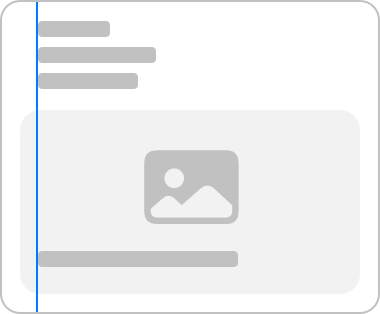
When the system doesn't handle it automatically, text alignment must match the interface direction. For example, in an LTR (left-to-right) environment, text is left-aligned, but in an RTL environment, it should be right-aligned.

2.2 Language-Based Paragraph Alignment
Paragraphs (three or more lines) should be aligned based on language, not just the current interface direction, to maintain readability. For example, in an RTL environment, English paragraphs should still be left-aligned, while Arabic paragraphs should be right-aligned.




"Paragraph alignment should follow the language, not just the current context, as forcing alignment to the interface direction can hurt readability."
2.3 Consistent Text Alignment in Lists
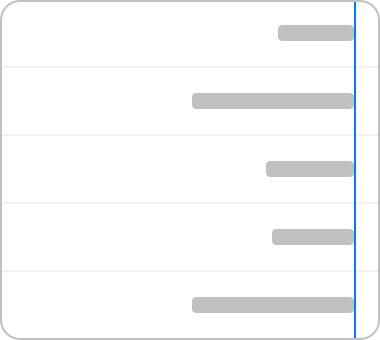
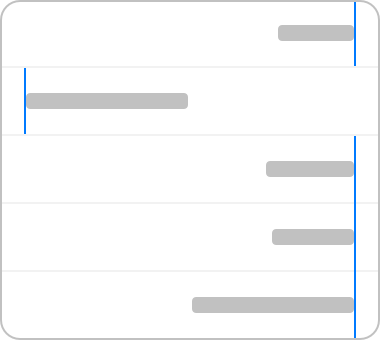
All items in a list must share the same alignment direction. Even when different scripts (e.g., English and Arabic) are mixed, the entire list should be right-aligned in an RTL environment.
3. Numbers and Characters
RTL languages may use different numeral systems. For example, Hebrew uses Western Arabic numerals, while Arabic may use either Western or Eastern Arabic numerals.


3.1 Preserving Digit Order
Never reverse the order of digits within a number. Numbers like "541," phone numbers, and card numbers must always be displayed in the same order regardless of language.




"The order of digits within a specific number must always remain the same."
3.2 Arranging Number Sequences by Progression Direction
Number sequences indicating progression (e.g., star ratings, sliders) should be arranged to match the control's direction, but the digits themselves should not be reversed.



4. Control Design
4.1 Reversing Directional Controls
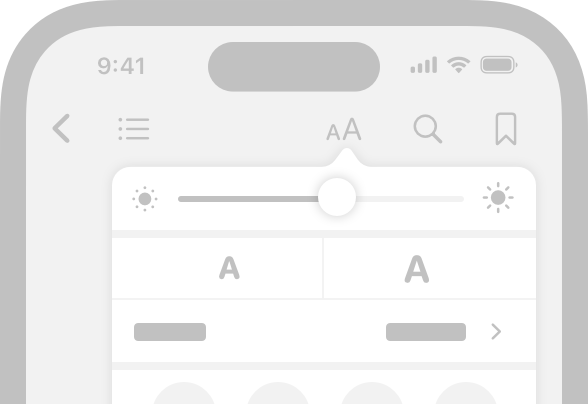
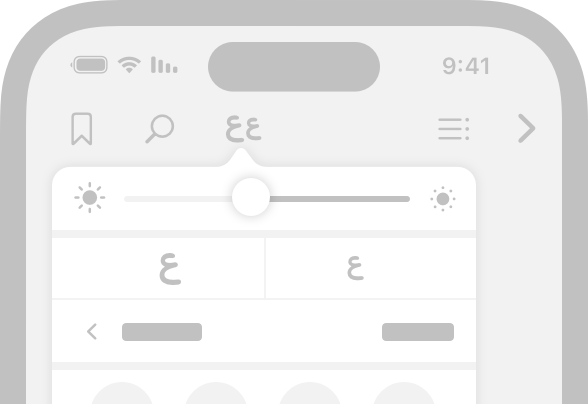
Sliders, progress bars, and other directional controls must reverse their direction in RTL environments, along with any start/end icons or images.
4.2 Navigation and Sequential Controls
Previous/next and back buttons -- sequential controls must also reverse direction in RTL. However, controls that indicate a literal direction (e.g., "move right") must always point in that direction.
4.3 Visual Balance Between Latin and RTL Characters
When uppercase Latin characters appear alongside Arabic or Hebrew in buttons, labels, or titles, it's recommended to increase the RTL text's font size by about 2pt for visual balance.


5. Image Handling
5.1 Image Flipping Caution
Photos, illustrations, and general artwork should not be flipped as a rule. Flipping images can alter their meaning and may create copyright issues.


"If the image content is strongly tied to reading direction, create a new version rather than flipping the original."
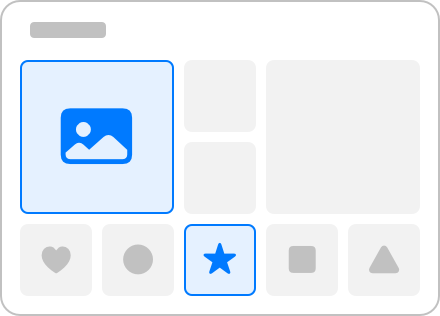
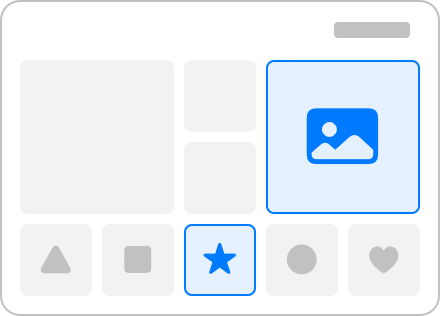
5.2 Reversing Image Positions for Sequential Content
When images are arranged in a specific order (time, alphabet, favorites, etc.), their positions must be reversed in RTL to preserve meaning.
6. Interface Icons
6.1 SF Symbols and Custom Symbols
SF Symbols automatically provide RTL-appropriate variants and localized symbols (Arabic, Hebrew, etc.). When creating custom symbols, directionality must be explicitly specified.


6.2 Flipping Text/Reading Direction Icons
Icons representing text alignment must reverse direction in RTL environments.


6.3 Localizing Icons Containing Text
Icons containing text elements (font sizes, signatures, I-beam cursors, etc.) should ideally have localized versions for each language.



6.4 Flipping Progression/Movement Icons
Icons indicating progression (e.g., sound emanating from a speaker, forward movement) must reverse direction in RTL to preserve meaning.


6.5 Never Flip Logos, Universal Symbols, or Physical Object Icons
Logos, checkmarks, and other universal symbols or physical object icons must never be flipped. Clocks, pencils, game controllers, and similar real-world icons should remain unchanged unless they convey directionality.





"Logos and universal symbols must always be shown in their original form; flipping them can cause confusion."
6.6 Component-Level Flipping for Composite Icons
Complex custom icons require careful per-component decisions about flipping. For example, a slash (prohibition) symbol stays the same in both LTR and RTL, but badges (like a plus sign) may need repositioning for visual balance.





7. Platform-Specific Considerations
iOS, iPadOS, macOS, tvOS, visionOS, watchOS -- no additional platform-specific considerations are needed. The same principles apply across all platforms.
8. References and Additional Resources
Conclusion
Supporting right-to-left (RTL) languages requires far more than simply mirroring the UI. Each element -- text, numbers, controls, images, and icons -- must be localized with careful attention to meaning and visual balance, ensuring a natural and consistent user experience. Following the principles in this guide enables the successful design of global apps that serve users across diverse languages and cultures.