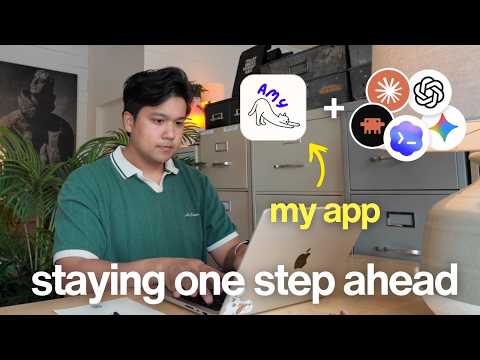
This video features a six-month update on how 'Amy', a calorie tracking app developed by Chris Raroque, is changing in the AI era. He shares the new Siri integration, the development of the Master Control Protocol for AI (MCP), the challenges and solutions along the way, and provides insight into how developers can evolve their apps for the future. In particular, it emphasizes the importance of low-friction input methods, which will become important in the AI era along with the app's profit performance, and details the process of overcoming technical difficulties and efforts to improve user experience (UX).
1. Current status of Amy app and future preparations 📈
Chris shares what's going on with Amy, the calorie tracking app he developed, and how he's preparing for the future. Amy introduces itself as the most frictionless calorie tracking app that automatically calculates calories and nutritional information by simply entering the food you ate as text, like an Apple Note. He said his monthly recurring revenue (MRR) recently surpassed $3,000, and he is particularly proud of the fact that he achieved a high return rate of 85% despite being an AI app. Usually, AI apps have a low rate of return of about 20-30%, but Amy is showing exceptionally high efficiency.
Chris explains that while until last month they were focused on increasing week 1 retention of new users, they are now focused on future-proofing the app. He said he's seeing some big changes in the app industry, especially the upcoming version of Siri for the iPhone.
"Siri has honestly been a bit of a joke over the last few years. I personally never used it because I'm not very good at following commands. I'm sure I'm not the only one. But if this new version is as good as people say, I think that might change."
If the new Siri becomes widely available, iPhone users will use Siri multiple times a day and expect apps to work well with Siri. Ultimately, apps with good Siri integration will be prioritized.
2. Siri integration development process 🗣️
Chris decided to implement Siri integration as a first step to future-proofing his app. Thinking that the task wouldn't be too difficult at first, he gave instructions directly to his AI code tool, Claude Code.
"I literally opened Claude Code and said, 'Can you build a Siri integration where someone can tell me what they ate and send it to the app to process it, and return a preview of the nutritional information to confirm it was recorded?'"
Surprisingly, we got a version of Siri integration that worked with just one prompt, and only a few styling tweaks required two or three additional prompts. Thanks to this, users can say "Hey Siri, log food for Amy" and tell Amy what they ate, and the Amy app will automatically process it and show nutritional information.
Chris emphasizes that the reason we were able to implement Siri integration so quickly was because of the unique input method of the Amy app. Amy records food using only text input, and this method fits perfectly with Siri. On the other hand, other calorie tracking apps like MyFitnessPal are difficult to properly integrate with Siri because they require you to go through the complicated process of finding food, selecting options, and controlling portion sizes. Calorie App, a photo-based app, also has limited integration with Siri because it cannot take photos using voice.
Chris describes Amy's core strengths:
"One of the real beauties of Amy is that I can take a very complex process, for example, and when a user types in food, amazing things happen behind the scenes in a second or two, as this diagram shows. All of these investments gave us a really great Siri experience out of the box."
However, since Siri does not currently support dynamic keywords that process all commands at once, such as "Record In-N-Out burgers and fries to Amy," he expressed regret that he had to go through a two-step process of first calling the app and then saying the food, saying "Record food to Amy." However, he added that he expects dynamic keyword support in future versions of Siri, which will be rolled out to the app immediately then.
He advises app developers to consider Siri integration and further emphasizes the importance of thinking ahead about what types of input methods they will support (e.g. watch integration, agent input, etc.).
3. Wispr Flow: AI development productivity tool 🎙️
Chris introduces Wispr Flow, a voice dictation tool he used during the development of his Siri integration. When working with AI agents like Claude Code or Cursor, he recommends dictating prompts because it allows you to create much more detailed prompts.
Wispr Flow is a smart speech-to-text tool that works with any app and is especially useful for developers. Here's why:
- Understand technical terms: Recognize technical terms like "AWS," "DynamoDB," "Gemini 2.5 Flash Lite," and "Superbase" correctly every time.
- File tagging function: In conjunction with IDEs such as Cursor or Windsurf, there is a function that automatically tags files when you say "Improve the style of the subscription-overview.tsx file."
- Various platform support: Available on desktop (Cursor, Claude Code, ChatGPT) as well as iOS and Android mobiles, making it useful for text messages or replying to YouTube comments.
Chris says Wispr Flow allows him to write very detailed answers, and adds that he'll leave a link to Wispr Flow and a code for a free month in the video description.
4. Amy MCP development process 💻
Chris explains that he has developed the Master Control Protocol (MCP), a way for AI tools to safely interact with third-party services like Amy. He recently shared an interesting story about using an AI tool called Codeex for meal planning, mentioning that Codeex controls the computer and even orders groceries for him.
"This week I didn't review my cart enough and ended up ordering four pounds of lemons even though the recipe only called for one. I only found out about it when I got it delivered."
He explained that he thought it would be great if he could use AI to plan meals and even order groceries, and have Codeex record the food he ate right away on Amy. This was the impetus for the development of Amy MCP.
Amy MCP allows AI agents like Claude or Codeex to record users' meals, analyze dietary patterns, and even make suggestions for diet changes. Chris points out that many people would like to analyze their eating habits, but currently have to export the data and enter it directly into ChatGPT or Claude, which he says MCP will make this much easier.
He already had experience developing MCP for another app, 'Ellie,' but says few calorie-tracking apps offer MCP, so he had no examples to reference. Although he expected it to be easy at first, he confessed that it was much more difficult than he expected and detailed the main problems he encountered.
4.1. Challenge 1 of MCP development: Authentication 🔐
The first problem I ran into was authentication. Most MCPs handle authentication with API keys or OAuth methods. OAuth is the standard and recommended way to request access from users through web login and authentication pages. However, since Amy was an iOS app only and had no web version, there was no login and authentication page for OAuth.
"Amy is just an iOS app. There is no web version. So before we could even create the MCP, we had to create a web version of Amy's entire login experience to enable this authentication flow."
Ultimately, Chris explains that before developing the MCP, they first had to build Amy's web login and authentication page, and went through the complex process of implementing Google and Apple login options.
4.2. Challenge 2 of MCP development: Absence of API 🔌
The second problem was that the Amy app had no API. All of Amy's functionality was processed on-device and then communicated with the backend. So there was no way for a third-party client like MCP to communicate directly with Amy's backend.
To solve this problem, Chris built a formal API for Amy. He said that while he was still working on it, he decided to make it an open API so that other developers could build their own apps on top of Amy.
While designing the API, he faced the challenge of considering user experience (UX). For example, we initially created a "Get what I ate today" endpoint, but then we realized that users would ask more general questions such as "What did I eat in the last two weeks", so we had to rebuild the endpoint to support date ranges. It is said that a lot of time was spent predicting how users would use the AI agent and configuring API endpoints accordingly.
4.3. MCP Development Challenge 3: Security (Cost and Abuse Prevention) 🛡️
The third issue was around security, especially cost and prevention of abuse. Each time a user enters text in the Amy app, complex AI processing takes place on the backend, costing approximately half a cent per input. Although iOS apps had restrictions in place to protect these costs, the open MCP and APIs were vulnerable to potential exploits.
Chris put a lot of thought into MCP's rate limit design. We initially considered a simple limit like "log 3 times per minute", but then we also had to consider cases where users were logging in large quantities at once, such as "Log everything I ate today on Amy."
"I think there's an awful lot of people logging everything at the end of the day, so we needed to allow people to do a lot of logging at once, but not allow them to keep doing an unlimited amount of logging at once."
As a solution, we implemented a gradual cool down method. In other words, it allows users to record a lot at once, but if they try to make large requests in succession, the system will gradually slow down to a halt. He said he has also implemented other features to monitor for abuse, but they are not yet fully polished and he will not share them at this time.
4.4. Challenge 4 of MCP development: User experience (UX) 📱
Chris confesses that the most difficult and unexpected problem was user experience (UX).
"How do I explain MCP within an iPhone app to the average user? I tried really hard to find examples of this, but all the examples of MCP within the settings page were in the web version or desktop app. None of the apps mentioned MCP within the iPhone application."
After numerous iterations, he created a dedicated settings page. This page clearly shows what your AI tool can do and provides very simple setup instructions to connect Amy to your AI tool. Users can also copy or email these instructions to reference on their desktop. We've also added a separate API section for managing API keys and checking documentation.
Chris said he rarely saw these features offered in mobile apps, and that condensing complex desktop/web-based functionality into something easy for users to understand and use in a mobile environment was a very enjoyable UX challenge.
5. Conclusion: The future of apps in the AI era 💡
Chris emphasized that he future-proofed the app through two key efforts: Siri integration and Amy MCP development, and shared the most important lessons he learned along the way.
"The big lesson I want to give you is this: I think it's well worth investing time in looking ahead and thinking ahead, because the way people interact with apps will soon start to change."
He said he, too, relies on AI apps like Claude and Codeex to handle much of his daily life, and that he's starting to prioritize services that connect neatly with these tools. It is predicted that not only developers but also general users will gradually prefer apps and services that work well with the AI agents they use every day.
In particular, he once again emphasized that once the new Siri becomes popular, apps that interact seamlessly with Siri will become an important competitive advantage, and that it is very important for developers to prepare for the future of apps and stay one step ahead. He concluded the video by teasing that the next video will cover Apple Watch integration and developing the Amy Android app.