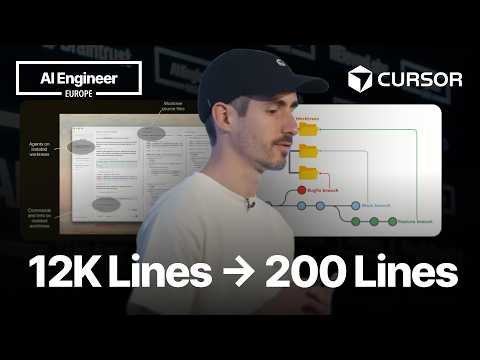
David Gomes shares how Cursor replaced the WorkTree feature — previously over 12,000 lines of code — with a lightweight layer of about 200 lines built on skills, commands, and subagents. He walks through how parallel coding workflows were reimplemented in Markdown, along with the pros, cons, failure cases, and lessons learned from converting a code-based product feature into a prompt-based one.
1. Is Markdown the New Code? 😮
Hello everyone, and thank you so much for being here! 😊 Today I want to talk about how Markdown became the new code. As TJ already briefly mentioned, we replaced a massive amount of code in the Cursor application with a single skill written in Markdown. In this talk I want to share the journey of converting a large feature — one with thousands of lines of code, dependencies, and complex tests — into a single skill: a much lighter, more concise version of the same thing.
2. Understanding Git WorkTrees
Before diving in, let me briefly explain how Git WorkTrees work in Cursor. If you haven't heard of Git WorkTrees, think of them as separate checkouts of your repository. They enable parallel work — multiple agents can work simultaneously without interfering with each other. 🤩
Here's how the feature works in Cursor:
- You can run agents in individual worktrees.
- For example, you can view the same file in two different worktrees — the agent's working copy looks different from the main checkout while the agent is running.
- Everything the agent does — running commands, linting, etc. — is isolated and scoped to that Git worktree.
You can set up a grid of multiple agents working in parallel on screen at the same time. If you say "open a PR," the agent opens a pull request with the changes generated from that worktree. One of the coolest aspects of this feature is that you can give the same task to different models simultaneously and compare the results. We call this a "Best Event" — you let different models compete on the same prompt, then compare their visual implementations if it's a frontend project and pick whichever you like best. ✨ All of this shipped with Cursor 2.0 back in October 2025.
3. The Complexity of the Initial Implementation 😱
When we first shipped this feature, it came with a lot of complexity:
- Creating and managing worktrees
- Providing code as context to the agent
- Scoping and isolation to keep agents from escaping their worktree
- Setup scripts that users could configure and run
- A judging system to determine which implementation was best across multiple criteria
- System reminders to help agents stay on task inside the worktree
- Cleanup logic to deal with disk space issues from creating hundreds of worktrees
All of this was encoded in code. People would create hundreds of worktrees and their disk space would explode, so we had to help clean up unused ones. 😅
4. Deleting 15,000 Lines of Code! 🎉
With the new implementation, we were able to remove most of that complexity. I recently opened a PR to remove the entire feature from Cursor — it was a massive operation that deleted 15,000 lines of code! 🤯 The new version performs nearly identically to the old one while being far lighter and easier to maintain. It even has several advantages the previous implementation lacked.
5. Implementing the Feature with Skills and Subagents
So how did we replace an entire feature with a single skill? 🤔 We determined that with two basic building blocks, Cursor users could use worktrees easily:
- Agent Skills
- Subagents
Both of these already exist in Cursor and are documented in our docs. We realized that combining the two allows you to reimplement Cursor's WorkTree feature and Best Event feature in Markdown alone.
As shown in the demo, users can now type /worktree and give a task like "fix the typo in the website footer," and the agent carries out the work in an isolated worktree.
6. Structure of the New Skill 🛠️
The new skill is surprisingly simple. It doesn't all fit on screen at once, but it's essentially a set of instructions telling the model to create a worktree, run any setup scripts the user has configured, and stay inside that checkout. Keeping the agent in the right checkout while it works is critical.
The Best Event skill is even simpler — small enough to fit on screen in a small font! 😮 Here we instruct the parent agent to spawn a subagent for each model, have each subagent create its own worktree and work within it, then wait for all subagents to finish before providing commentary on their work.
"Tell the user how each subagent's implementation differs. Evaluate them, offer critical feedback, and help the user decide which one is best."
"Present this to the user in a clean table format."
All of this is roughly 40 lines of Markdown. The previous version was 4,000 lines of code! Things to keep in mind when building this skill:
- The skill must be cross-platform compatible (with instructions for Windows, Linux, and macOS).
- The parent model is instructed to run any setup scripts the user may have configured for each worktree.
- The hardest part is telling the model to "stay in that worktree."
"Never work outside this worktree. Never escape!"
This is accomplished through what you might call aggressive prompting.
7. New Slash Commands and Workflow 🚀
The new commands are:
/worktree: Starts an agent in an isolated worktree./bestevent: Starts multiple agents on the same task./applyworktree: Brings changes from a side worktree into the main checkout./deleteworktree: Deletes a worktree. (Works exactly as you'd expect.)
Note: Strictly speaking, these aren't Cursor skills — but they behave very similarly. The prompt is only loaded into context when the user invokes the command. The reason we made them commands rather than skills is that it lets us control the prompt from our servers, meaning we can improve the prompt without shipping a new version of Cursor. Every time you use one of these commands, you'll always get the latest version of the prompt.
In the Best Event demo, we assign the same task to Kimmy, Groq, Composer GPT, and Opus. The parent agent spawns five subagents, each with its own worktree and context. After Opus takes a bit longer as expected, the parent model compares the results from each subagent, explaining what each model did and how they differed. You can even ask the parent agent, "I like what Opus did here and what GPT did here — can you combine the two?" and it will do exactly that. 🤩
8. Advantages of the New Implementation 👍
Let me cover the advantages of this reimplementation first, then the downsides.
- Less code to maintain: The biggest win is that there's far less code for me to maintain personally. WorkTrees aren't a feature that 90% of Cursor users rely on — it's an advanced feature for a small group of power users who love parallel work and grids. It's not a feature I want to spend a lot of time maintaining.
- Switch to a worktree mid-chat: Users can now switch to a worktree in the middle of a conversation. That wasn't possible before because we didn't want to clutter the prompt UI with dropdowns or settings. Now it's much easier with just the
/worktreeslash command. - Multi-repo support: The previous implementation didn't work when you were working across multiple repositories at the same time. It's common to have separate frontend and backend repos, and you couldn't use worktrees in that setup before. Now
/worktreehandles it cleanly — the agent creates worktrees in each repo and opens separate PRs per repo if needed. 👏 - Better judging experience: The judging experience in Best Event is significantly improved. The parent agent now has much more context about what each subagent did, and users can ask the agent to combine their favorite parts from multiple implementations. Previously you had to pick just one subagent or model.
9. Downsides and User Feedback 😕
Of course, there are downsides. If you look at our forums, you'll find mixed feedback about the new implementation. Some users were used to the old way and are unhappy with the change.
- Agents tend to escape their scope: The biggest issue is that it's very hard to keep agents within the right scope. Previously it was physically impossible for the model to touch files outside the worktree — now we have to trust the model. In long sessions, the model might forget where it's supposed to be working, or even hallucinate and do something completely off-track. 😮 We're working on fixing this.
- It feels slow: It's not actually slower, but users watch the agent creating a worktree in the chat and feel like time is being wasted — like the agent is doing prep work that should have already been done. We're looking at ways to improve this perception.
- Reduced discoverability: Before, when you opened Cursor there was a dropdown menu for choosing your working mode, making it easy to find the WorkTree feature. That dropdown is gone now, so to use worktrees you have to type
/worktreedirectly — discoverability has dropped. That said, since this is an advanced user feature, I think it's acceptable for it to be less front-and-center.
10. How to Improve the Skill 📈
So how do we make this skill better? 🤔 The biggest current issue is that agents don't always stay within scope. There are two approaches to improving this:
-
Evals and prompt improvement:
- At Cursor we train our own model called Composer.
- In Composer 2, there was no RL (reinforcement learning) work targeting this kind of environment.
- We're adding a large set of worktree-related tasks to our RL pipeline so that Composer 3, 4, and 5 will perform this task much better.
- We can't directly improve models developed by other companies, but we share this kind of feedback with other labs and model providers.
- I'm using tools like BrainTrust to develop evals for this feature. Writing evals is much easier than you'd think — you feed a prompt to an agent and it handles the rest.
- I run the Cursor CLI in headless mode with two evaluation metrics:
- Whether the model performed work inside the worktree as expected
- Whether the model worked in the main checkout when it shouldn't have (the inverse)
- The current evals are relatively simple and don't simulate long sessions well, but they've already revealed that not all models perform this task equally well. For example, smaller, less capable models like Haiku often drift back to the main checkout, while models like Composer and Groq perform much better.
- I'm hoping to make these evals more sophisticated over time to find patterns and improve the prompt.
-
Better system reminders: We can provide improved system reminders instructing the model to stay within scope and not drift out of the worktree it's supposed to be working in.
11. Cursor 3.0 and Looking Ahead 🚀
What's next? We're going to take a step back and introduce a much more complete, native worktree implementation in the new Cursor agent window. Part of the recently announced Cursor 3.0 is a more agent-centric coding interface. You can still edit and view code, but the UI/UX is far more optimized for agents and the chat interface. We believe that kind of interface is the right place for a proper worktree implementation — people who do a lot of local parallelization are likely the same people who gravitate toward that UI. So we're going to pause and build a more native, less agent-prompted worktree implementation in the new UI.
We'll also continue improving the skill through ongoing evals and RL training.
Finally, we're exploring parallelization primitives beyond Git worktrees. Git worktrees are slow to create, consume significant disk space, and only work in Git repositories. If you're not using Git, there's no local parallelization primitive in Cursor. I hope to share more about this in the near future — we're looking for solutions for local parallelization that aren't tied to Git or Git worktrees.
Stay tuned! Thank you for attending this talk today. I know you have a lot of questions, and I'll be here all day — please come find me and let's chat. Thank you! 🙏
Conclusion
The Cursor team achieved a remarkable feat: replacing 15,000 lines of complex Git worktree code with a roughly 200-line Markdown-based skill. This brought several benefits — reduced maintenance burden, multi-repo support, and an improved Best Event experience. There are real downsides too: agents drifting out of scope, a perception of slowness, and lower feature discoverability. But the team plans to address these through continuous improvement via evals and RL training, a native worktree implementation in Cursor 3.0, and exploration of new parallelization primitives beyond Git worktrees.