In the previous essay, I wrote about automating company operations with a single monorepo. Since then, I have actually used the same structure to run expense processing, payroll management, meeting record management, and investor response workflows. Along the way, I noticed a pattern, and this essay is an attempt to make that pattern explicit.
Traditionally, SaaS existed to take work humans used to do, organize it into workflows, and automate it through software so companies could save time and cost. But now that AI is smart enough, the "engineered automation" part can often be replaced by a prompt. In other words, some of the work that SaaS used to handle can now be run directly, without dedicated SaaS.
Take corporate expense processing as an example.
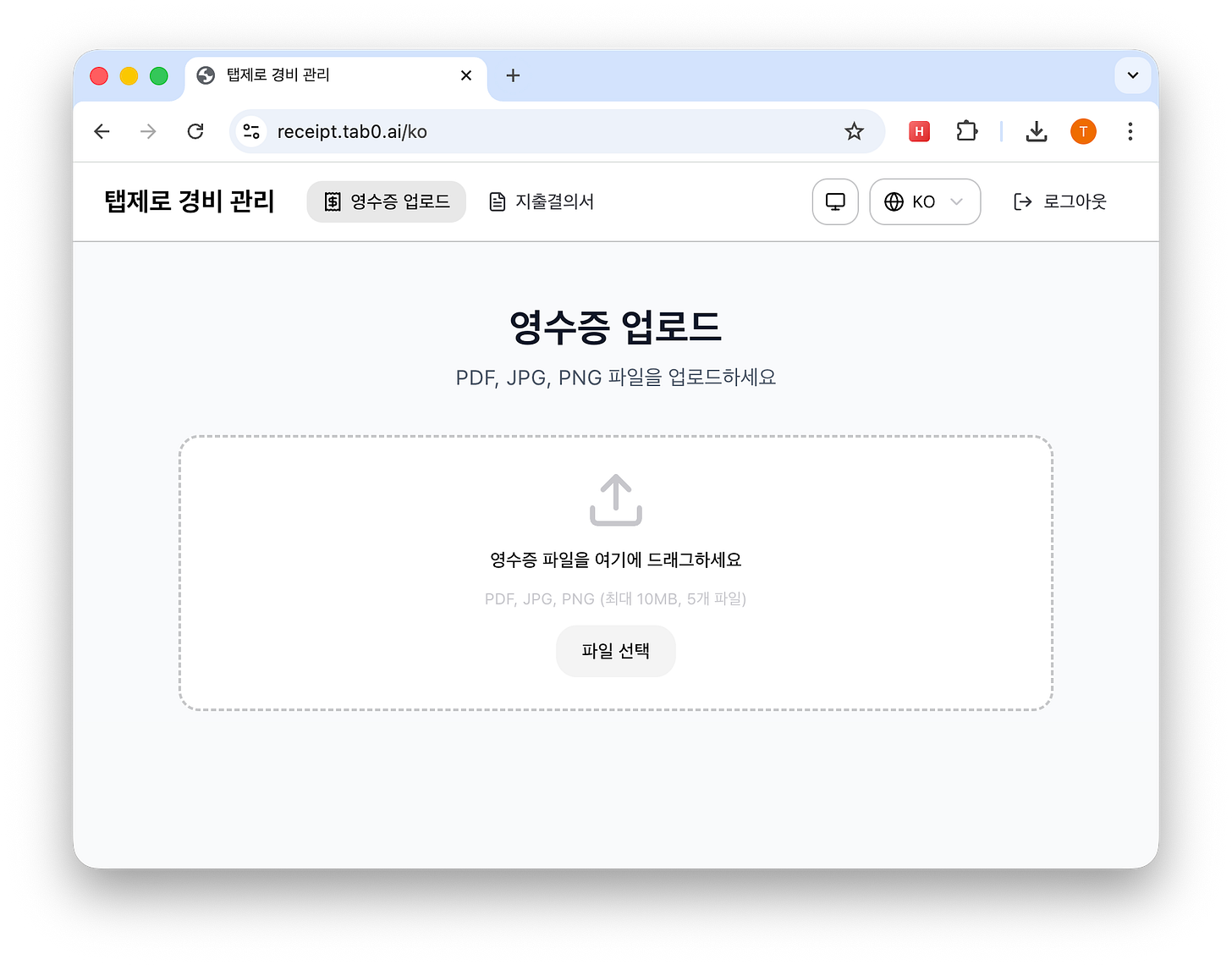
I set up a simple web page where uploading a receipt image automatically creates a GitHub pull request. That PR then triggers an AI agent through GitHub Actions. The agent reads the receipt image, extracts the transaction date, amount, vendor, and item, creates a double-entry bookkeeping record, and files everything into the correct monthly folder.
Here is an excerpt from the prompt embedded in that GitHub Actions workflow:
1. Extract the transaction date, taxable amount, VAT, merchant name, and purchased item from the receipt image.
2. Auto-classify the category using `expense-category.yaml`.
3. Append a double-entry journal entry to `ledger/YYYY-MM.yaml` for the corresponding month. Verify that debits and credits balance.
4. Convert and move the receipt file to `receipts/YYYY-MM/MMDD_{merchant}_{amount}.pdf`.
Once the process finishes, I get a notification through the GitHub mobile app, review the PR when convenient, and merge it.
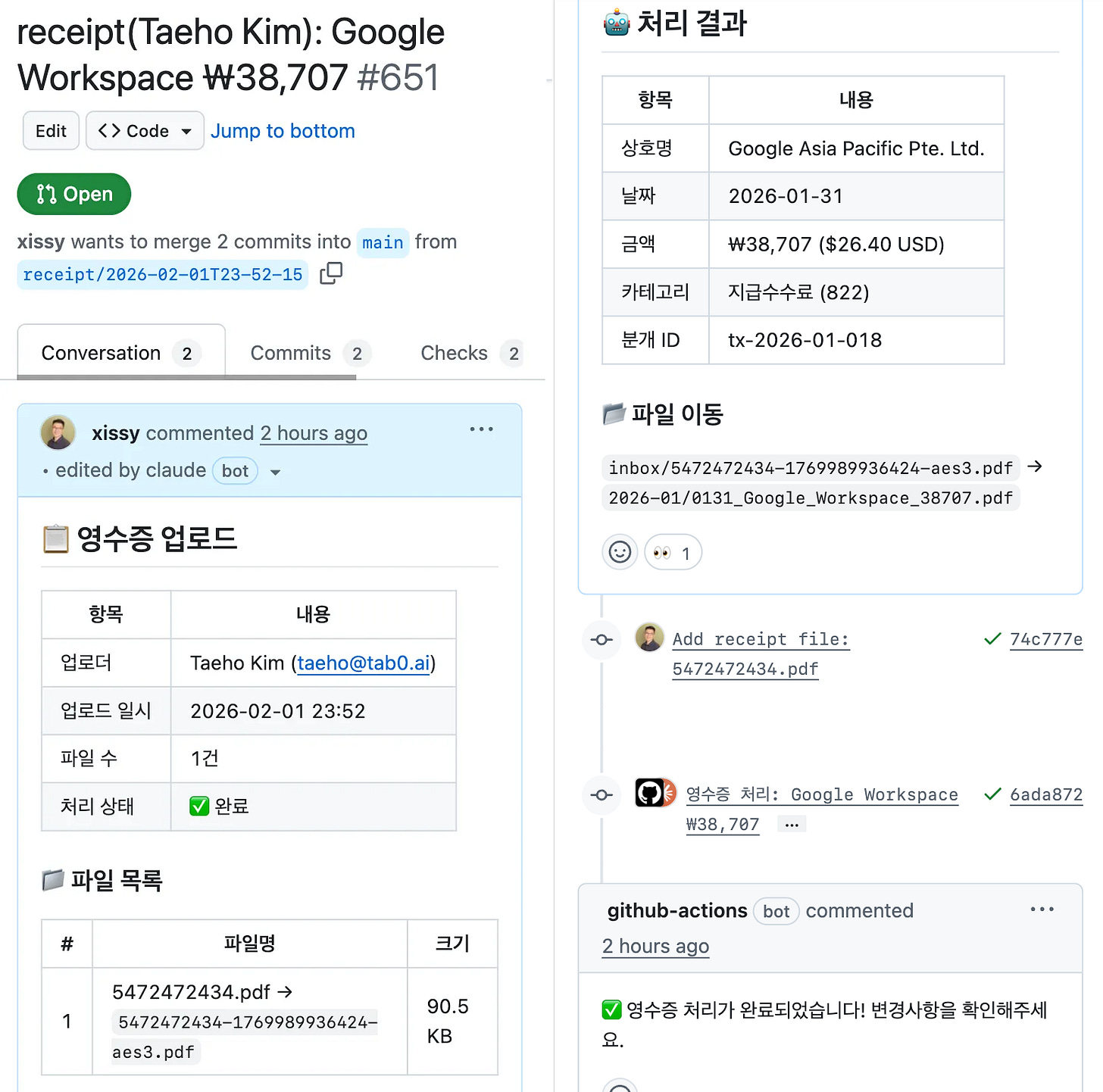
That is functionally the same job an expense SaaS product does. You submit receipts, they get classified, organized, approved, and stored. The difference is that here the work is being done by prompts plus GitHub Actions instead of a dedicated SaaS vendor.
The interesting part is what happens next. In this architecture, you can create an entirely different kind of SaaS-like workflow by changing only the prompt that defines the AI agent's domain logic.
Payroll management: feed in attendance data and the payroll table, and the AI agent calculates payroll, computes social insurance and withholding tax, generates pay slips, and raises a PR. After I verify it, the agent can continue into the necessary external systems and apply the result. It is effectively a stripped-down version of an HR SaaS loop.1
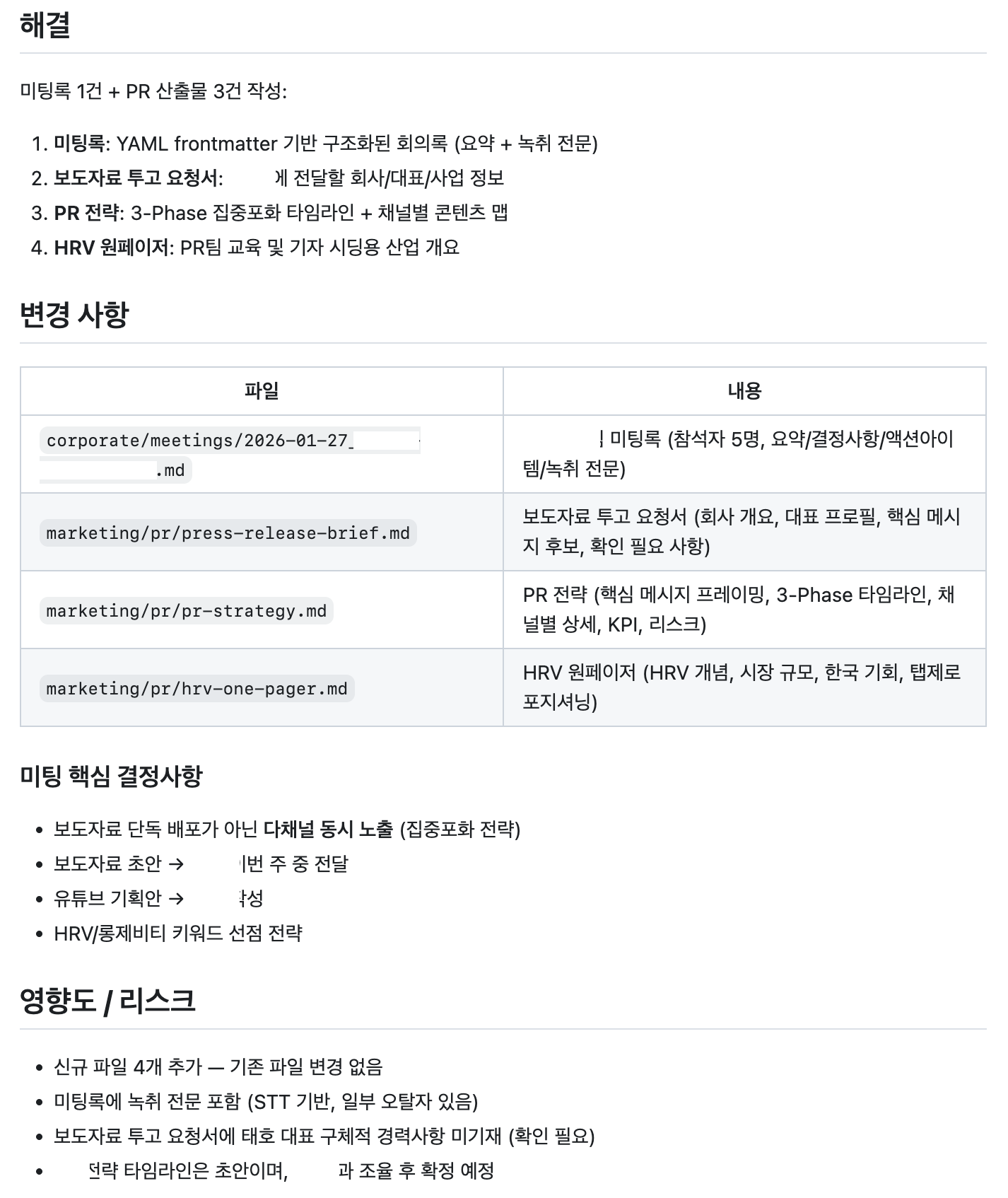
Meeting-note summarization and action-item extraction: once a meeting ends, I upload either the recording or the transcript. The AI agent summarizes the discussion, extracts decisions and action items per attendee, and opens a PR. After review and merge, the meeting note is archived in the repo and the tasks are created automatically as GitHub issues. This is also what a meeting-note SaaS does, except here it is being executed inside a monorepo that already contains the company's code, documents, and operating context, which makes the resulting action plans far more grounded and feasible.
Investor response workflows: when an investor requests due-diligence documents such as financial statements, a shareholder register, corporate registration records, or bank account copies, the AI collects the latest versions from the repo, formats them to match the request, and opens a PR. Once I confirm it, the agent can even open a browser, prepare a Gmail draft, and stop right before pressing send. There is no need for a separate data room SaaS when all of the source materials already live inside the repo.
All three workflows run on the same infrastructure. GitHub Actions orchestrates. AI agents execute. PRs provide review. Only the trigger and the prompt change. The loop stays the same.
As a result, when a new operational need appears, I no longer start by searching for a SaaS product. Instead, I ask three questions:
- What should happen? Given a specific input, what output should be produced? Once that is clear, you have the prompt.
- How should it be triggered? Where should the input come from? Slack, a web form, an email forward. It does not need to be elaborate. It just needs a reliable way to reach the agent.
- How should it be reviewed? Who checks the output, and in what interface? A PR, a Slack approval, anything that gives a human a review and approval step.
Once those three are defined, a surprising amount of SaaS functionality becomes reproducible. I personally chose a GitHub-centric workflow because I already like the ergonomics of GitHub, it makes AI-agent activation easy, and I can use Claude Code there without extra cost. But the triggering channel, the review mechanism, and the storage layer can vary depending on your setup.
What this means in practice is that the core of what many SaaS products sell through monthly subscriptions can now be rebuilt from a prompt plus tools you already use.
The biggest advantage of this approach is that operational knowledge compounds.
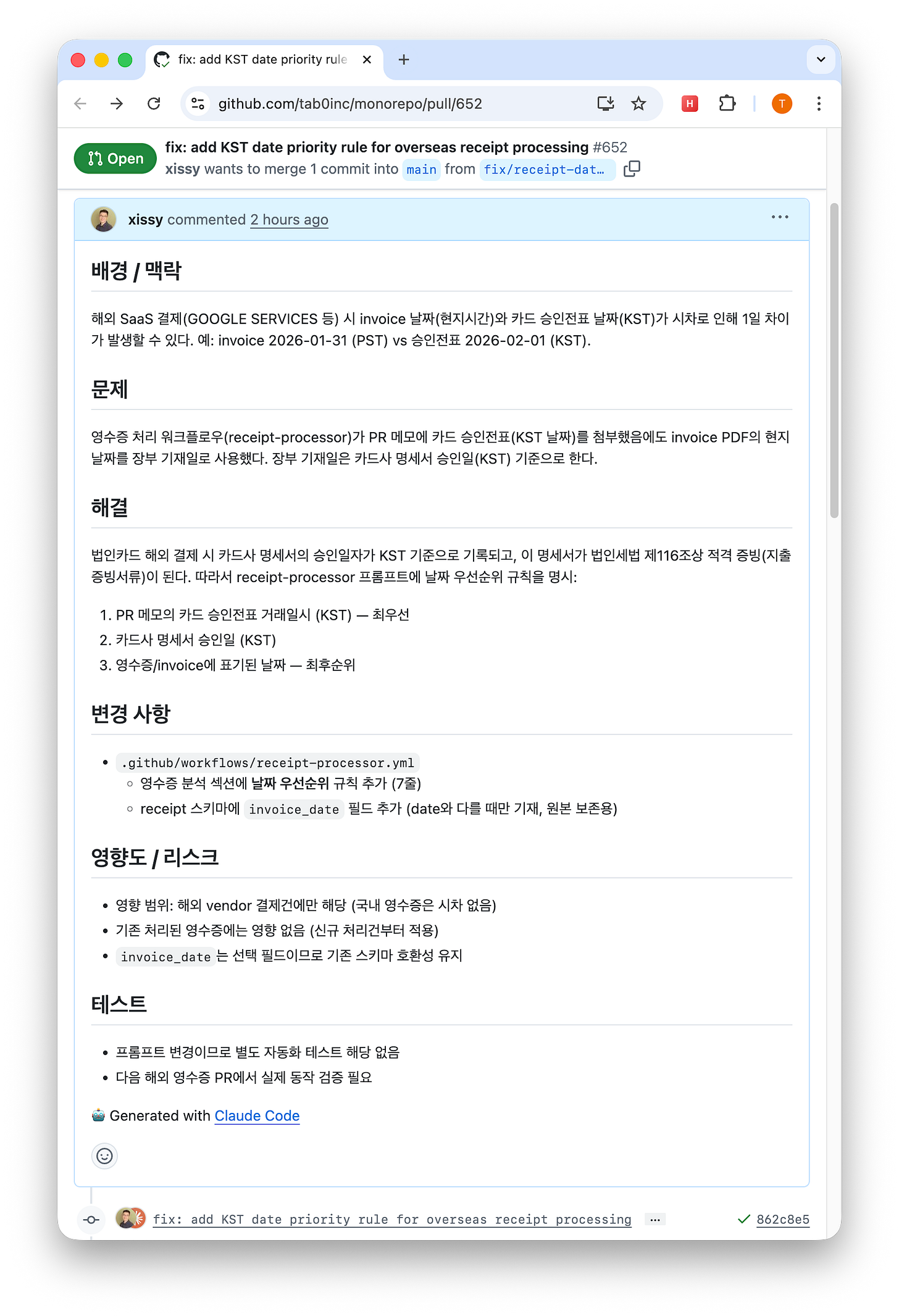
For example, I once ran into a case where the invoice date for an overseas payment, shown in local time, differed from the date on the Korean card authorization slip. That caused the ledger entry date to be wrong. The fix was simple: I added one rule to the prompt saying, "Use the transaction timestamp on the card authorization slip as the highest-priority date."2
AI starts from a base of public knowledge such as tax rules, labor regulations, and accounting standards. Calculating VAT separately at 10%, applying social-insurance rates, or balancing debits and credits in double-entry bookkeeping all come preloaded as baseline knowledge.
On top of that, your company's own operating knowledge accumulates. Rules like "Entertainment expenses are capped at KRW 100,000 per attendee, and the attendee count must always be recorded," or "Depreciate equipment over five years using straight-line depreciation rather than the legal maximum of ten years" are not universal truths. They are company-specific policy, accounting judgment, and operating preference. Another company in the same industry might decide differently. Those judgments get discovered in practice and then encoded into the prompt, one line at a time.
That is where compounding happens. Each added rule improves the accuracy of the next run. In conventional SaaS, where does that knowledge live? Often it is scattered across obscure settings, trapped in undocumented workarounds, or held only in the head of the person managing the system. When that person leaves, the knowledge disappears with them. In a prompt-driven workflow, the logic sits in one readable file, under version control, in natural language. Git history even preserves why the rule was added. SaaS sells convenience; this structure builds operating knowledge as an asset.
That said, there are clear limits. This approach is slower than a fully hard-coded software service. AI agents take minutes to spin up and execute their prompts. So this is not the right architecture for real-time collaboration, thousands of concurrent users, or systems that need millisecond response times.
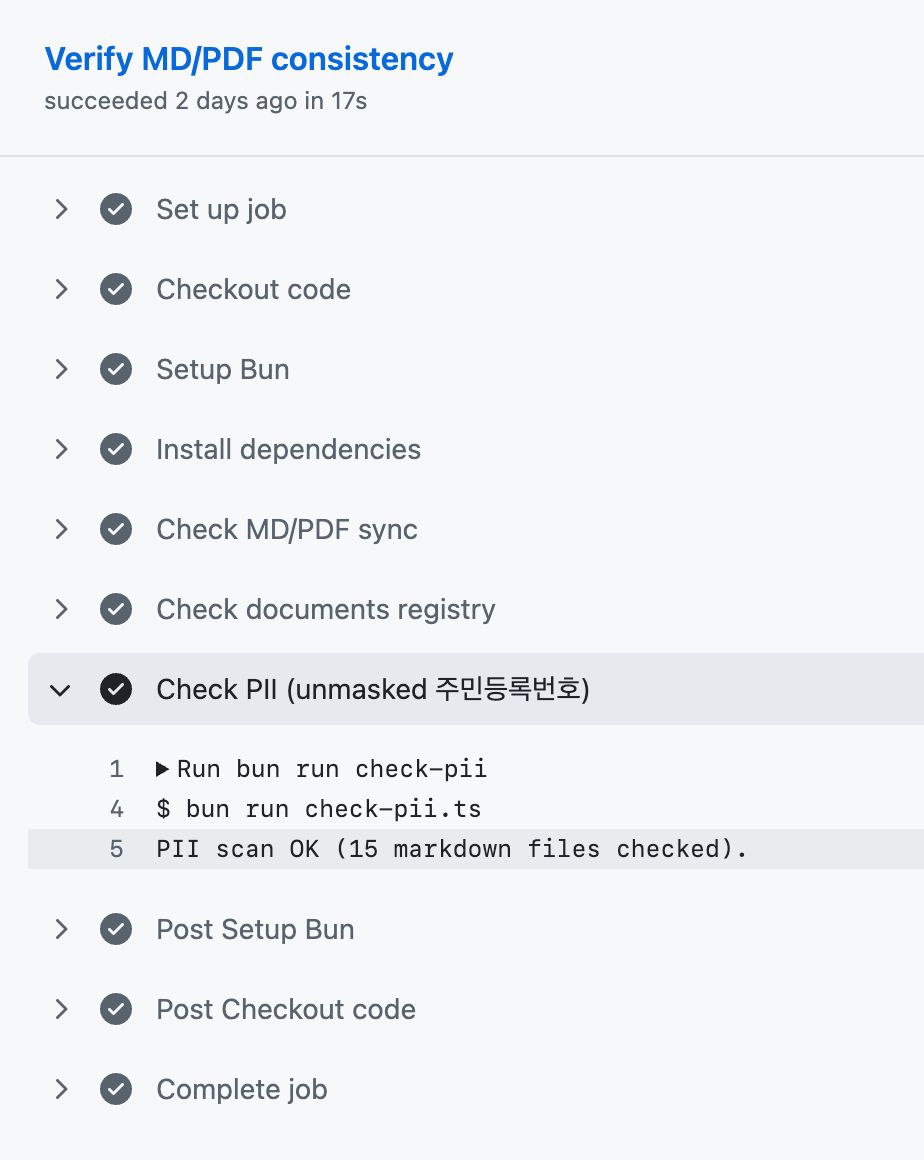
Security also deserves serious attention. Sending receipts, payroll data, or investor materials through AI systems can understandably make people uneasy. My own operating rules are simple: use only services that do not train on API data, keep the repository private with minimal access, and mask sensitive information such as national ID numbers or bank account numbers before processing.
The pattern fits work that does not need real-time response, has daily volume in the dozens rather than the thousands, and naturally includes a human review step. A large share of company operations fits that description.
Think about the SaaS subscriptions a startup with fewer than five people pays for each month. Many of them are just variations of the same loop: input, processing, approval, storage. Now imagine each one through the lens of three questions: what should happen, how should it be triggered, and how should it be reviewed? More of those workflows than you might expect can be rebuilt with one prompt and one trigger, on top of infrastructure you already have.
Thank you.
Disclaimer: This article was written and reviewed inside Tab Zero Inc.'s monorepo (tab0inc/monore) using the tab0inc-marketing/taeho-blog-content-writer AI skill.
1
You might ask, "What if the AI gets payroll wrong?" But regardless of the tool, the legal responsibility for payroll and social-insurance reporting remains with the employer. If something is wrong, the correction filing and settlement procedure is the same. The real question is whether you can treat that improvement loop as part of the cold-start phase of compound engineering.
2
If the SaaS you were using did not support that rule, or supported it ambiguously, you would have had to contact customer support.